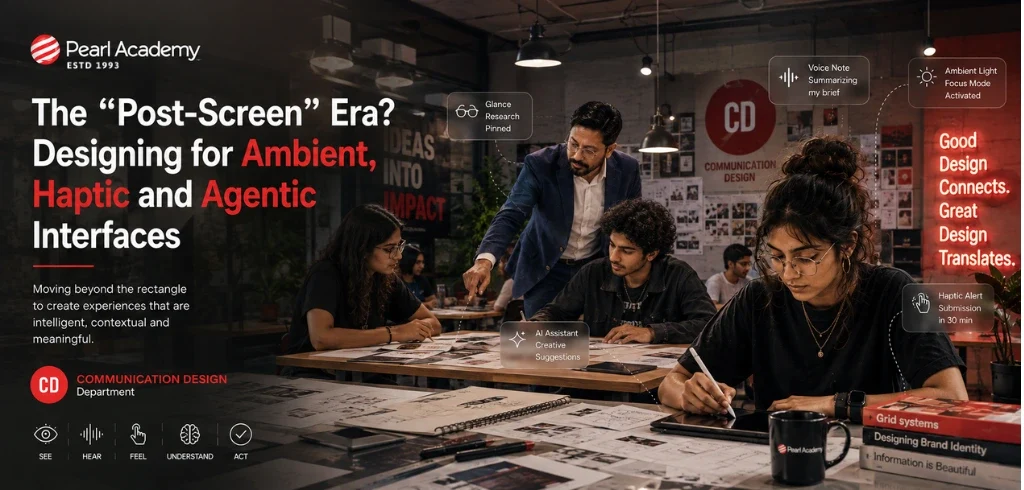
Imagine leaving home without taking your phone out of your pocket.
Your glasses quietly tell you which platform your train leaves from. An AI assistant summarizes the message you missed while walking. A subtle pulse on your wrist signals that you are heading in the wrong direction. You make a small finger movement to dismiss an alert. Your earbuds translate part of a conversation. A connected environment adjusts itself as you enter.
You have interacted with several digital systems.
But where exactly, was the interface?
For decades, communication and interaction designers have largely worked inside rectangles: posters, pages, desktop windows, websites, apps, smartphones and tablets. Even when those rectangles became smaller, smarter and more responsive, the screen remained the primary place where people met digital information.
That assumption is beginning to change.
Artificial intelligence, spatial computing, smart eyewear, wearable sensors, voice interaction, computer vision, haptics and connected environments are distributing interaction across the body and the physical world.
Calling this the “post-screen era” is useful but perhaps slightly misleading.
Screens are unlikely to disappear. Instead, they may lose their position as the default center of every digital experience.
The more significant shift is from screen-centered interfaces to distributed, contextual, and increasingly agentic experiences.
# The interface begins to leave the rectangle.
Become future-ready with our Communication Design Programs
Know More
The history of digital UX has often been a history of screens.
Desktop computing gave us windows, menus, and pointers. Smartphones transformed these conventions into taps, swipes, cards and apps. Responsive design then taught designers to rearrange this visual language across different screen sizes.
The next transition may be less about another screen size and more about when a screen is necessary at all.
Meta's Ray-Ban Display glasses, for example, combine cameras, microphones, speakers and an in-lens display with the Meta Neural Band, which uses electromyography (EMG) to translate subtle muscle activity into commands. The interaction can therefore move between looking, listening, speaking, seeing and small physical gestures rather than depending entirely on a touchscreen.
Google has announced Android XR intelligent eyewear built around Gemini, including audio glasses and display glasses intended to provide directions, messaging, translation, visual understanding and task assistance while allowing the user's phone to remain in their pocket.
Apple's visionOS similarly demonstrates how interaction can extend beyond flat screens into spatial environments, 3D objects, eye-directed selection, hand gestures, world tracking and digitally augmented physical space.
These developments suggest something more nuanced than a screenless future.
We may instead be moving towards a screen-optional future, one in which visual displays become one component within a larger multimodal interaction system.
Traditional UX often asks:
What should appear on the next screen?
Emerging UX increasingly asks:
What should happen next?
That difference is fundamental.
A conventional app requires a person to navigate an interface to communicate an intention.
Open app > locate function > tap > choose > confirm.
An ambient or AI-mediated system may attempt to understand that intention through context instead.
Intent > context > interpretation > action > feedback > confirmation or correction.
The designer is therefore no longer designing only the visible interface.
The designer is shaping an interaction ecosystem involving people, algorithms, devices, environments, and behavior.
Several technologies are driving this transition:
| Technology | Role in emerging interaction | Example |
|---|
| Artificial intelligence | Interprets intent and enables assistance | AI assistant anticipating or completing a task |
| Machine learning | Learns patterns and adapts responses | Personalized notification timing |
| Voice AI | Enables conversational interaction | Natural-language assistants |
| Computer vision | Interprets gestures, objects, and surroundings | Smart glasses understanding what the wearer sees |
| Spatial computing | Positions digital information in physical space | Navigation or collaborative 3D environments |
| Haptics | Communicates through touch | Wrist vibration, force, or resistance |
| EMG interfaces | Detect subtle muscular signals | Gesture input from a wrist-worn neural interface |
| Sensor fusion | Combines environmental and behavioral signals | Context-aware wearables and vehicles |
| Internet of Things | Connects objects and environments | Responsive homes, workplaces and public spaces |
| Edge computing | Processes interaction locally with reduced latency | Real-time wearable and spatial experiences |
| Generative AI | Creates or transforms content during interaction | Conversational, visual and multimodal assistants |
| AI agents | Interpret goals and potentially perform multi-step actions | Systems that call tools or complete tasks for a user |
The important point is not that designers must become experts in every technology.
They need to understand the new interaction possibilities and new design responsibilities these technologies create.
Two concepts are particularly important in post-screen interaction: ambient interfaces and haptic interfaces.
But AI introduces a third layer that deserves equal attention: agentic interfaces.
Ambient interfaces
Ambient interfaces operate in the surrounding environment and respond to context without continuously demanding focused attention.
They may interpret:
- location,
- movement,
- time,
- environmental conditions,
- voice,
- proximity,
- device state,
- behavioral patterns.
A room that adjusts lighting based on occupancy is ambient.
A wearable that changes the timing of an alert because it understands that you are driving is ambient.
The interaction happens partly in the periphery of attention.
Haptic interfaces
Haptic interfaces communicate through touch.
They may use:
- vibration,
- pressure,
- resistance,
- force,
- texture,
- motion.
A smartwatch tapping your wrist before a turn is a simple example.
More advanced haptic systems can communicate direction, simulate resistance, distinguish different types of alerts or help users physically manipulate virtual objects.
The interface is no longer purely something we look at. It becomes something we feel.
Agentic interfaces
Agentic interfaces introduce another possibility.
Instead of merely displaying information or responding to a direct command, an AI system may interpret a goal, use tools, perform multiple steps, and return with an outcome.
Current real-time voice-agent systems, for example, can support natural spoken interaction, interruption handling, tool use, and multi-stage workflows rather than requiring every action to be manually navigated through a graphical interface.
This changes a fundamental UX question.
Instead of asking:
“What happens when the user clicks?”
Designers increasingly need to ask
What is the system allowed to decide?
The relevance of this shift becomes clearer when we consider younger users.
It would be simplistic to argue that younger generations are moving away from screens. Screens remain central to entertainment, education, work, gaming, and social interaction.
What is changing is their interaction vocabulary.
For many younger users, digital communication already moves fluidly between:
touch, voice, video, camera, emoji, filters, gestures, gaming environments, short-form content, wearables, AI conversation, and physical-digital experiences.
Typing into a search box is no longer the only obvious way to ask a computer for something.
A photograph can be an input.
A spoken sentence can be an input.
A gesture can be an input.
Location can be an input.
The environment can become an input.
Eventually, even behavioral context can become part of the interface.
This means tomorrow's designers may not begin by asking:
What should the UI look like?
They may begin with:
What is the most natural way for a person to communicate their intention in this situation?
Sometimes the answer will still be a screen.
Sometimes it will be voice.
Sometimes touch.
Sometimes movement.
Sometimes the best interface may be almost invisible.
This transition is particularly important for communication designers.
Communication design has historically created systems of visual meaning through typography, color, imagery, composition, motion, and hierarchy. Those languages will remain important. But digital identity is expanding into behavior.
Consider the possibilities.
- A double pulse on your wrist communicates something.
- The tone of an AI assistant communicates something.
- A pause before an AI takes an irreversible action communicates something.
- A spatial object moving closer communicates priority.
- A light changing intensity communicates state.
- An assistant asking permission communicates respect and control.
- A sound disappearance communicates completion.
These are not merely technical events.
They are acts of communication.
The identity systems of the future may therefore include much more than:
Logo + Color + Typography + Motion
They may also require:
Voice + Haptic Language + Spatial Behavior + Interaction Timing + AI Personality + Rules of Autonomy
For communication designers, this represents a significant expansion of discipline.
We may increasingly design not only what an organization looks like, but also how an intelligent system behaves.
The New UX Flow
A useful way to understand this transition is to compare two interaction models.
Screen-centered UX
Need > Open Interface > Navigate > Select > Confirm > Result
Contextual / Agentic UX
Intent > Context > Interpretation > Action > Multisensory Feedback > Human Confirmation / Correction
The second model appears simpler for the user.
But it is considerably more complex for the designer.
When buttons disappear, certainty can disappear with them.
A visual interface makes many states explicit:
- This option is selected.
- This action is processing.
- This file will be deleted.
- This payment requires confirmation.
When an ambient or AI-driven system acts invisibly, designers must find new ways to communicate those states.
The future of UX therefore isn't about making interfaces disappear at any cost.
It is about deciding what can disappear and what must remain visible, perceptible or controllable.
1. Design for Intent, Not Clicks
Users rarely want to operate interfaces.
They want outcomes.
The real intention behind tapping six controls might simply be:
“Get me home.”
“Translate this.”
“Remind me later.”
“Find the document.”
“Make the room quieter.”
AI increasingly allows systems to operate at this level of intention.
The role of design becomes reducing unnecessary interaction without removing meaningful control.
2. Design Feedback Before Designing Invisibility
Invisible interaction sounds elegant until the system makes a mistake.
If an AI changes something, purchases something, sends something, or interprets something incorrectly, users need to understand:
What happened?
Why did it happen?
What will happen next?
Can I undo it?
Good post-screen design is not simply invisible.
It is quiet when appropriate and explicit when necessary.
3. Design Degrees of Autonomy
Not every action should receive the same level of AI autonomy.
A useful framework might be:
Suggest → Assist → Act with confirmation → Act and notify → Act autonomously
Recommending a restaurant and transferring money should clearly occupy different positions on that scale.
Designers will increasingly have to define these boundaries.
This makes permission design as important as interface design.
4. Design Multimodally
A future interface should rarely depend entirely on one sense or one mode of interaction.
Visual, auditory, and tactile signals can support one another.
A navigation system, for example, might combine:
a glanceable visual cue,
a spoken instruction,
and a distinctive wrist vibration.
Multimodal redundancy can also improve accessibility provided designers allow users to select modes appropriate to their abilities, environment, and preferences.
5. Design the Interruption
Notification design has largely focused on deciding what appears on a screen.
Ambient computing introduces a deeper question:
When does technology deserve a person's attention?
A haptic alert during an important conversation may be just as disruptive as a notification banner.
The designer must therefore consider:
- urgency,
- context,
- frequently,
- timing,
- intensity,
- and the cost of interruption.
The future interface may be measured partly by how often it chooses not to interrupt us.
6. Make Consent Perceptible
As computing becomes more ambient, data collection can also become less visible.
- Cameras can see.
- Microphones can listen.
- Wearables can detect movement.
- AI can infer intention and preference.
- Connected environments can recognize patterns.
This creates a critical design principle:
If technology becomes invisible, consent cannot become invisible with it.
Designers will need understandable ways of communicating when sensing is active, what information is being interpreted, how it is being used, and how users can stop it.
A privacy policy buried inside a settings menu is not enough for an ambient world.
7. Design for Correction and Recovery
AI systems will make incorrect assumptions.
Context will be misunderstood.
Gestures will be misread.
Voice will be misheard.
Automation will occasionally occur at the wrong time.
The quality of the experience may therefore depend less on whether the system is always correct and more on whether the user can recognize, correct, and recover from errors effortlessly.
Undo may become one of the most important interactions in the AI era.
Several emerging products offer glimpses of this distributed interface model.
Meta RayBan Display + Neural Band combines a lightweight visual display, AI, cameras, microphones, and EMG-based wrist input, demonstrating how information can move between vision, voice, and subtle gesture.
Android XR intelligent eyewear points toward AI assistance that can understand the wearer's surroundings, provide navigation, communication, and translation, and potentially help with tasks without requiring constant phone interaction. Google has announced the first audio glasses for later in 2026.
Apple Vision Pro and visionOS demonstrate another trajectory: interfaces becoming spatial, with digital elements occupying physical environments and interactions incorporating gaze, hand gestures, tracking, and 3D space.
Realtime voice agents demonstrate how the interface itself can become conversational. Instead of navigating screens, a person can potentially describe an intention while an AI system manages interaction, tools, and workflow behind the conversation.
And familiar devices such as smartwatches, vehicles, earbuds, and connected environments already demonstrate how haptic, auditory, and contextual feedback can reduce dependence on constant visual attention.
# None of these technologies represents the future.
Together, however, they reveal its direction.
For communication and interaction designers, the implications extend well beyond consumer gadgets.
Education
Imagine a design studio where contextual AI can recognize a model or prototype, respond conversationally, and project or spatially locate relevant information while allowing students to remain engaged with physical making rather than constantly shifting attention to laptops.
Mobility
Navigation could become a choreography of sound, haptic direction, and glanceable spatial information rather than a map that demands continuous visual attention.
Healthcare and Assistive Design
Tactile, voice, and contextual interfaces could provide alternative interaction pathways for people for whom conventional visual or motor interfaces are difficult to use.
Retail and Exhibitions
Physical spaces could respond to visitor location, interest, and interaction, allowing information to emerge contextually rather than requiring every object to be accompanied by another screen.
Workplaces
AI agents could transform software from a collection of applications into services that can be instructed through goals—finding information, coordinating workflows, or preparing outputs across multiple systems.
Branding
Organizations may eventually require design systems defining not only what their brand looks like, but how it speaks, moves, responds, interrupts, asks permission, provides tactile feedback, and behaves when represented by an AI agent.
This may be one of the most interesting emerging territories for communication design.
The profession is unlikely to become less visual.
But visual design may become one part of a larger orchestration.
Tomorrow's interaction and communication designers may need to work across:
- visual hierarchy,
- conversation,
- motion,
- sound,
- haptic feedback,
- spatial relationships,
- behavioral systems,
- AI personality,
- context,
- trust,
- accessibility,
- autonomy,
- error recovery.
The deliverable may no longer be only a set of screens. It could be an experienced behavior model.
Instead of asking:
What does the interface look like?
Design teams may increasingly ask:
- How does the system sense?
- When does it respond?
- What does it know?
- What is it allowed to do?
- How does it communicate uncertainty?
- When should it remain silent?
- How does the user regain control?
These are design questions, not merely engineering questions.

Student Guidance Center: Our Counselors are Just a Click Away.
Beyond the Post-Screen Era
Perhaps, then, “post-screen” is not quite the destination.
Screens will remain valuable whenever complex comparison, reading, creation, precision, or visual overview is required. What is disappearing is the assumption that every digital interaction must begin and end with one. The emerging interface is distributed across devices, senses, spaces, and increasingly intelligent systems.
- It may speak.
- It may be heard.
- It may understand what we are looking at.
- It may be communicated through touch.
- It may anticipate.
- And, increasingly, it may act.
That creates extraordinary opportunities for designers but also a new level of responsibility.
The challenge is no longer simply to make interfaces easier to use.
It is to make intelligent systems understandable, interruptible, trustworthy, and human-centered even when the interface itself becomes almost invisible.
For the next generation of designers, perhaps the most important question is therefore not:
What comes after the screen?
It is: when technology can see, listen, predict, and act, what exactly are we designing: the interface, the environment, or the relationship between human intention and machine intelligence?
References and Further Reading